Lite
£20+ VAT/ per month
1 user
Get started14 days free · No credit card required
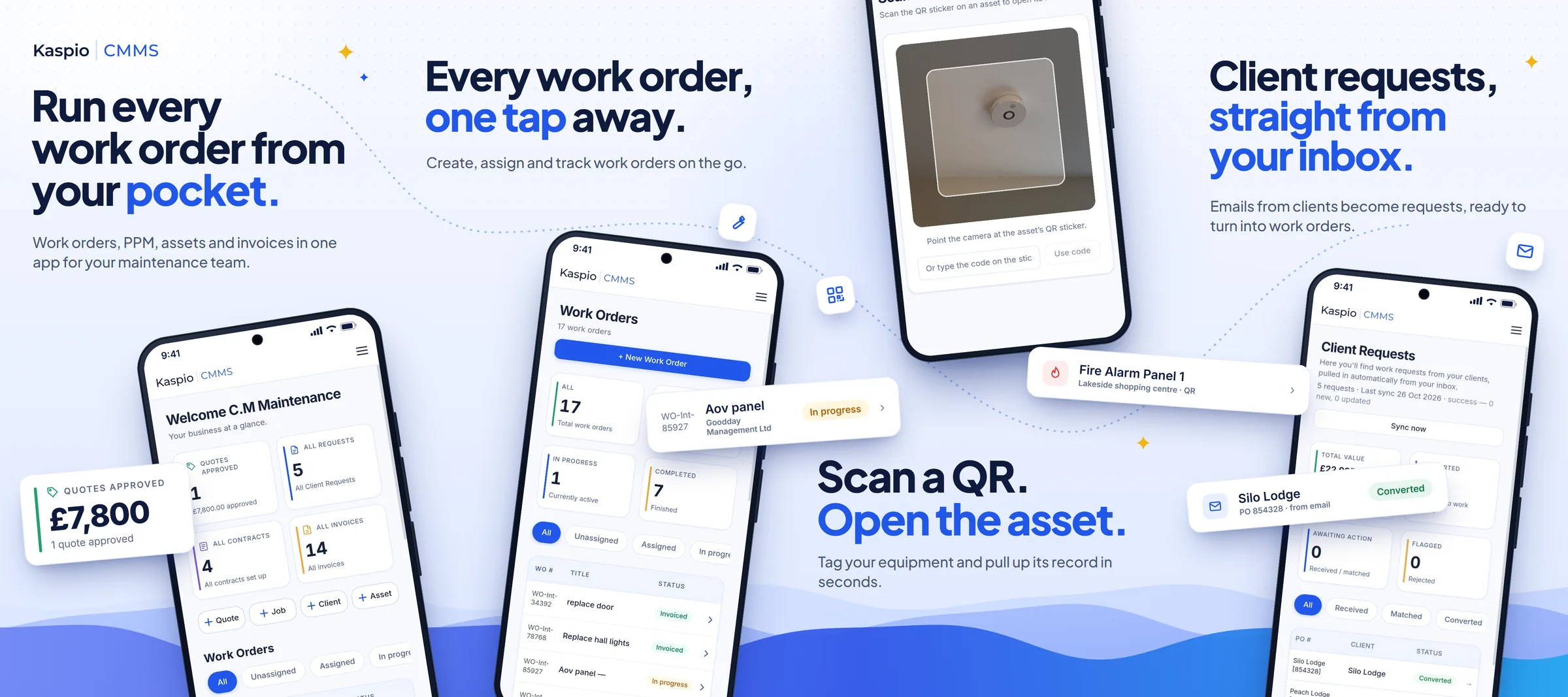
Designed around the people who use it every day. Our mobile-first CMMS makes maintenance management effortless on the go, while offering a seamless desktop experience for planning, monitoring and managing your operations.
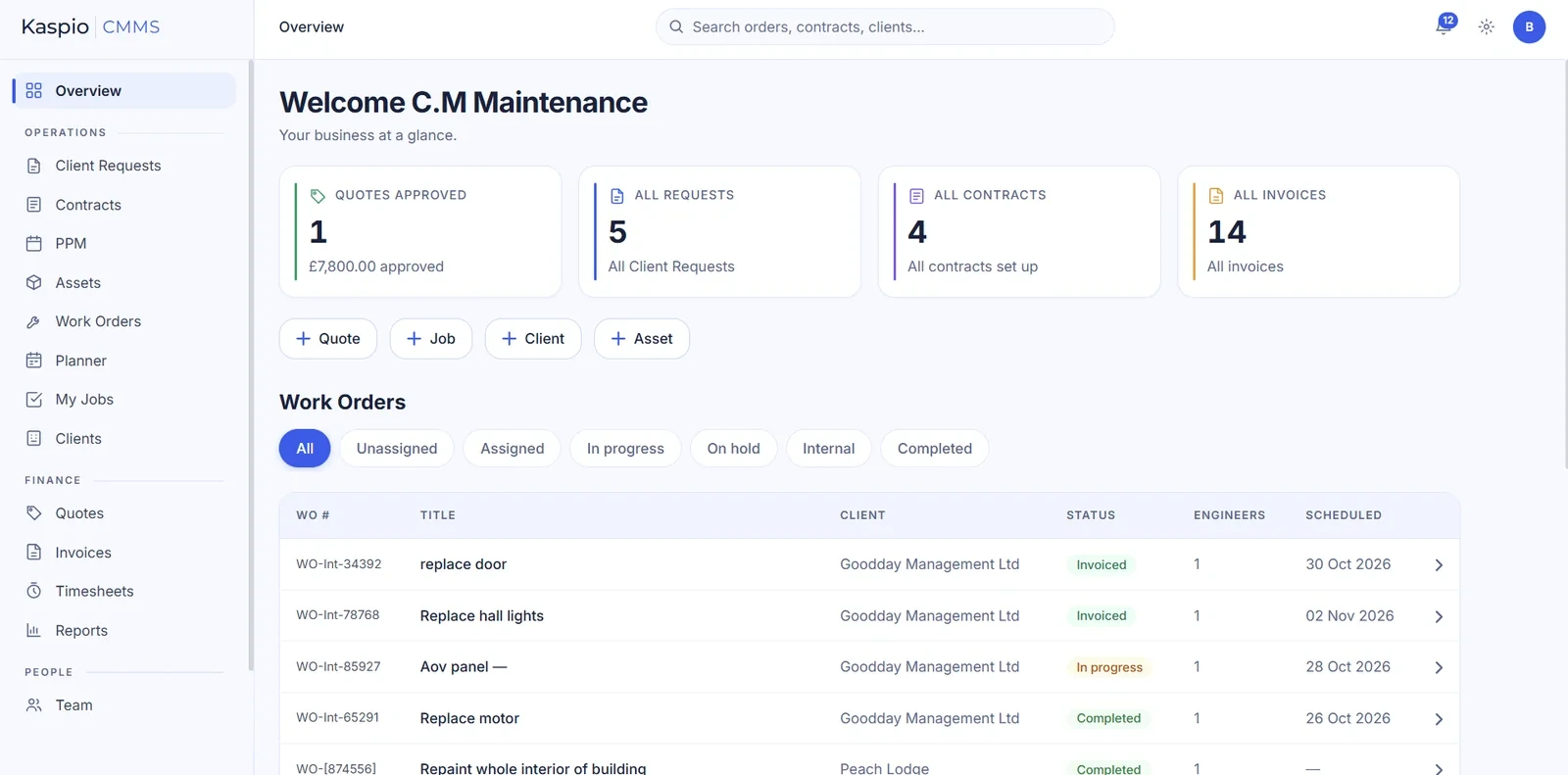
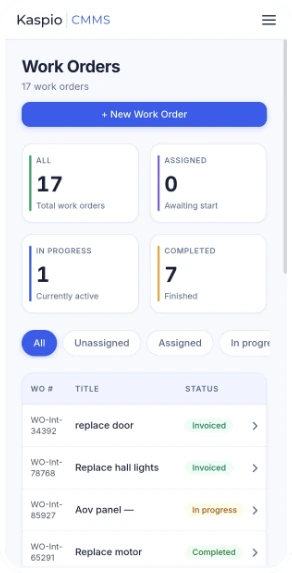
See how Kaspio CMMS transforms manual maintenance workflows into a more streamlined, organised and proactive approach.
Outcome: Managing work orders from your inbox is a struggle, things get lost and clients get frustrated.
Outcome: Every request becomes a tracked job in seconds — nothing slips and clients always get an answer.
Outcome: Manual reminders and fragmented processes make it easier for important tasks to slip through the cracks.
Outcome: Every asset is inspected on time, compliance is proven and breakdowns become the exception.
Outcome: Nobody has the full picture, engineers turn up to the wrong job and urgent work waits for a free slot.
Outcome: PPM, contract visits and holidays are already blocked out, so you only fill the gaps — no double-bookings.
Outcome: Invoices go out days late, figures get re-keyed twice and cash flow suffers.
Outcome: Bill the same day, track paid and overdue at a glance, and never re-key a number.
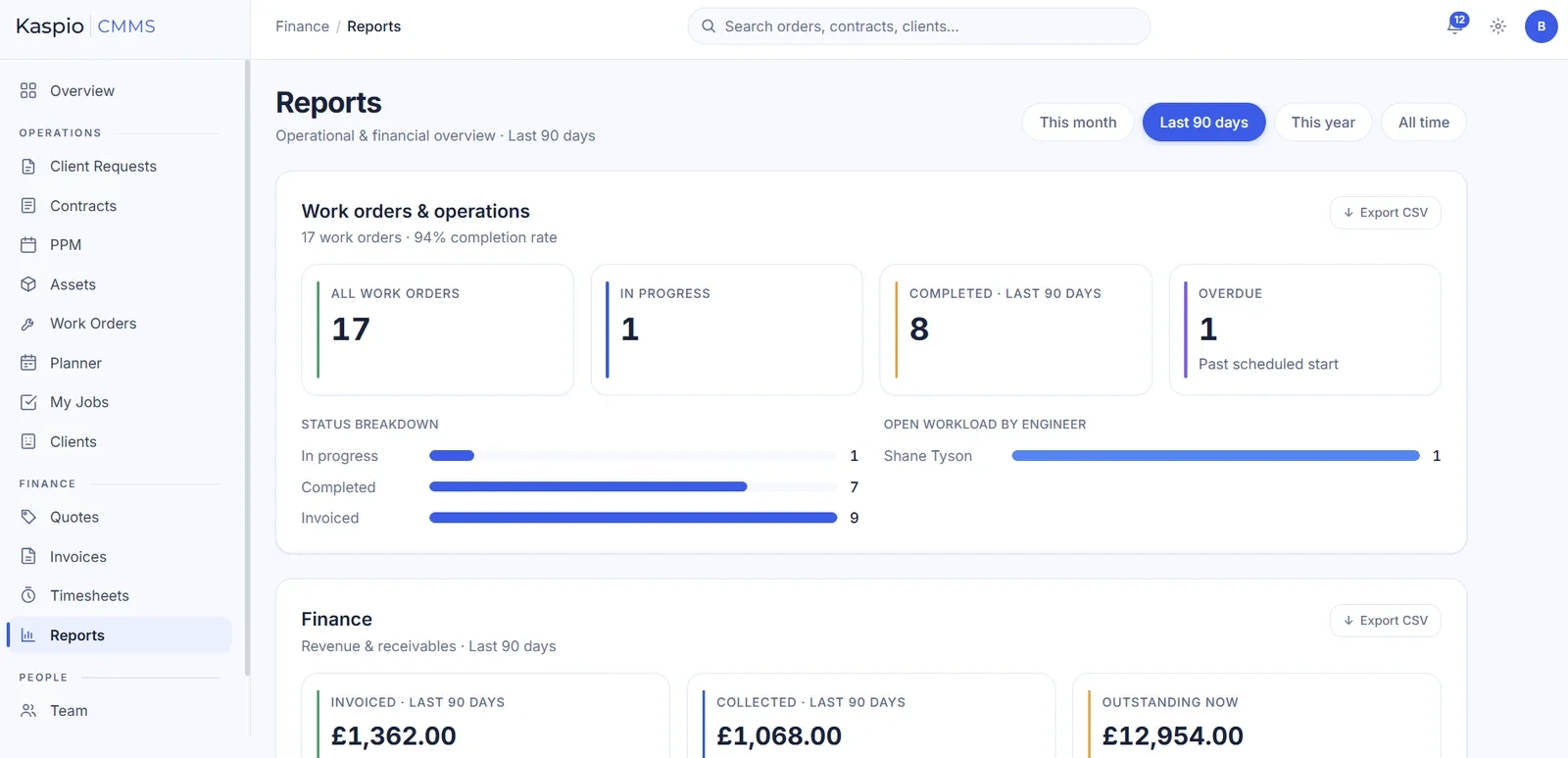
Outcome: Reports take days to pull together and are out of date by the time anyone reads them — decisions are made on gut feel.
Outcome: Completion rate, engineer workload, revenue and outstanding invoices on one screen — always up to date, no spreadsheet wrangling.
Try Kaspio's maintenance management system with your own jobs, engineers and assets.
No setup fees, cancel anytime — every plan is the full Kaspio system. Unlimited jobs, contracts, invoices & PPMs.
£20+ VAT/ per month
1 user
Get started£75+ VAT/ per month
Up to 5 users
Get started£179+ VAT/ per month
Unlimited users
Get startedTry Kaspio | CMMS for 14 days for free — no credit card required.
Open any feature for a quick look inside the product.
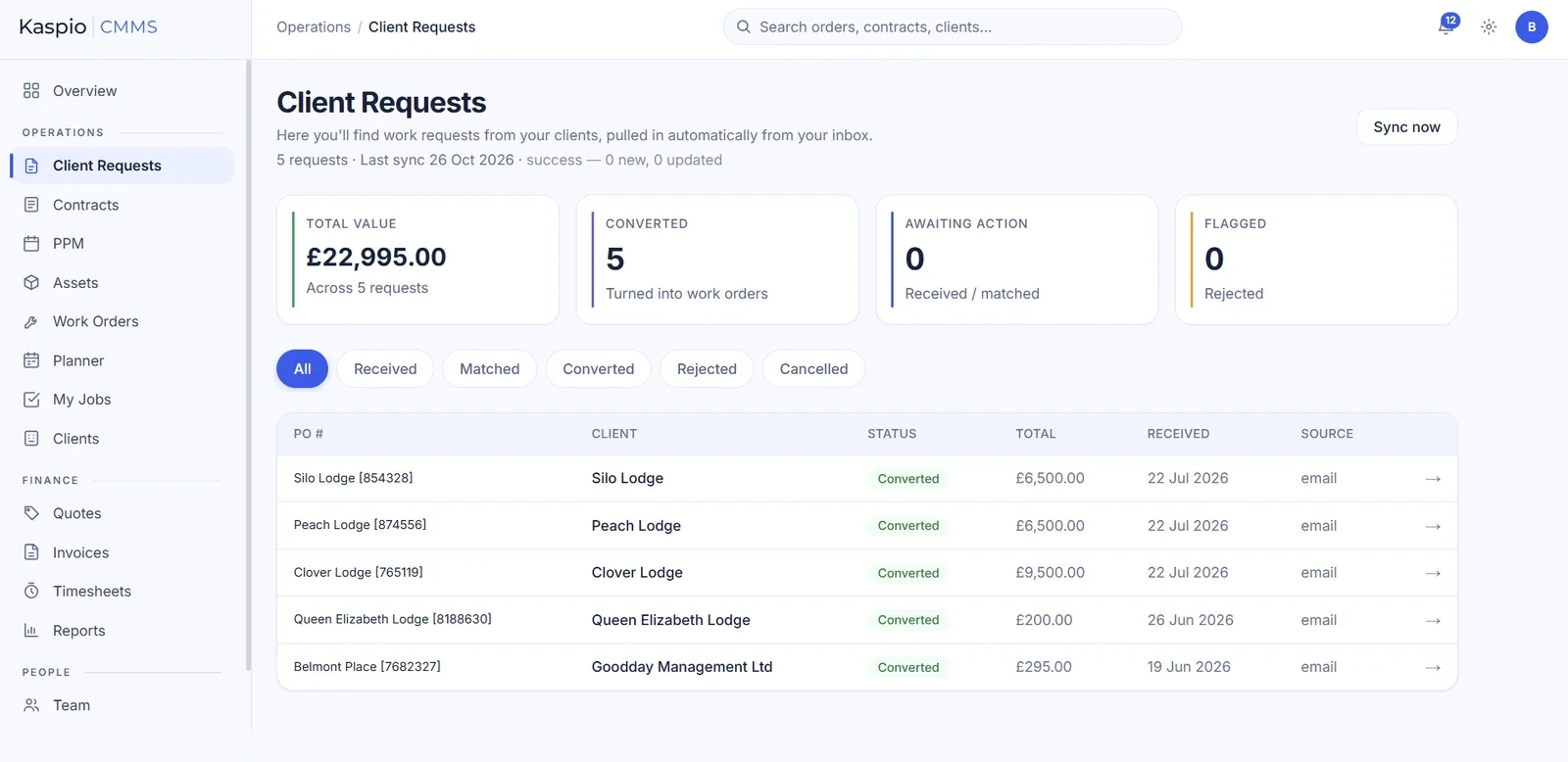
Clients keep emailing purchase orders and contract instructions as they do today. Kaspio reads each one with the help of AI, pulls out the reference, client, value and scope, and creates the record for you — matched to the right client and ready to turn into a job.
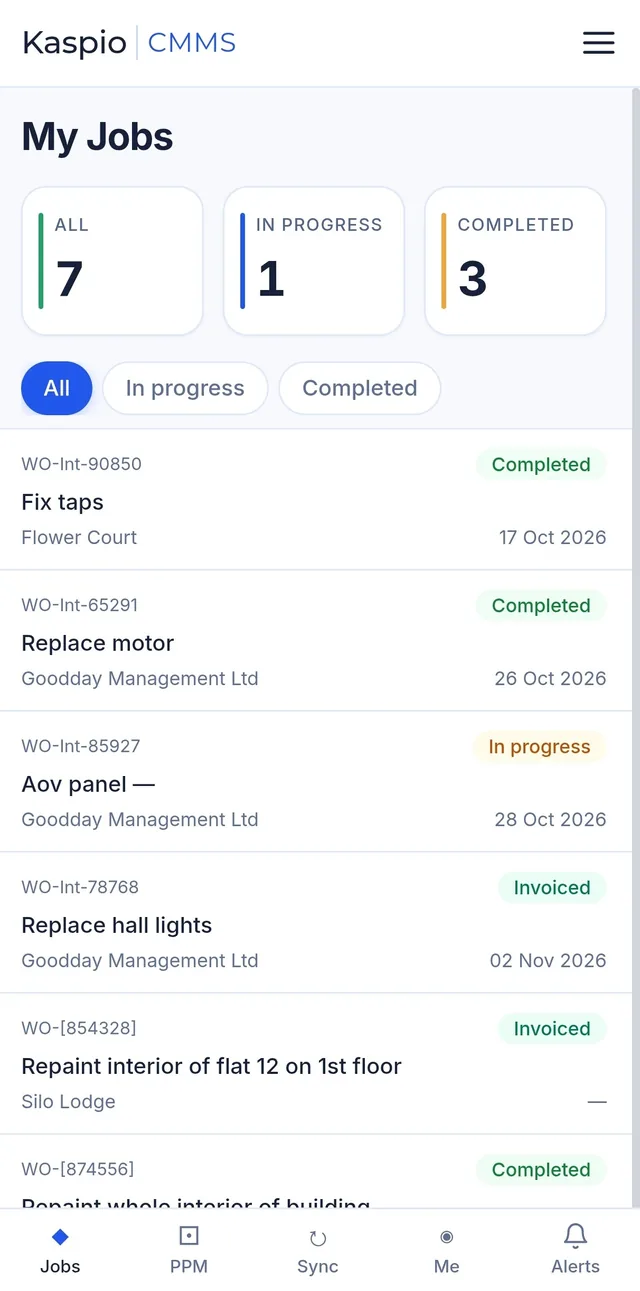
Yes. Each engineer gets a focused “My Jobs” list on their phone. They update the status, add notes, photos and signatures, and mark work complete. No signal in a plant room or basement? It keeps working and syncs automatically when they're back online.
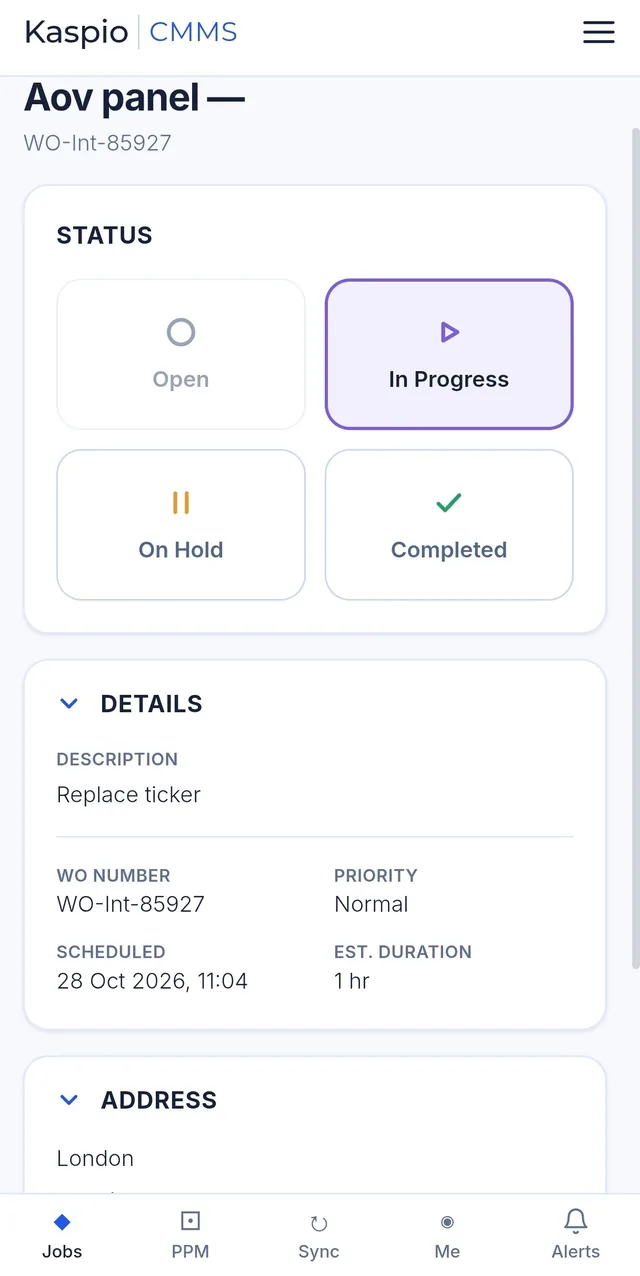
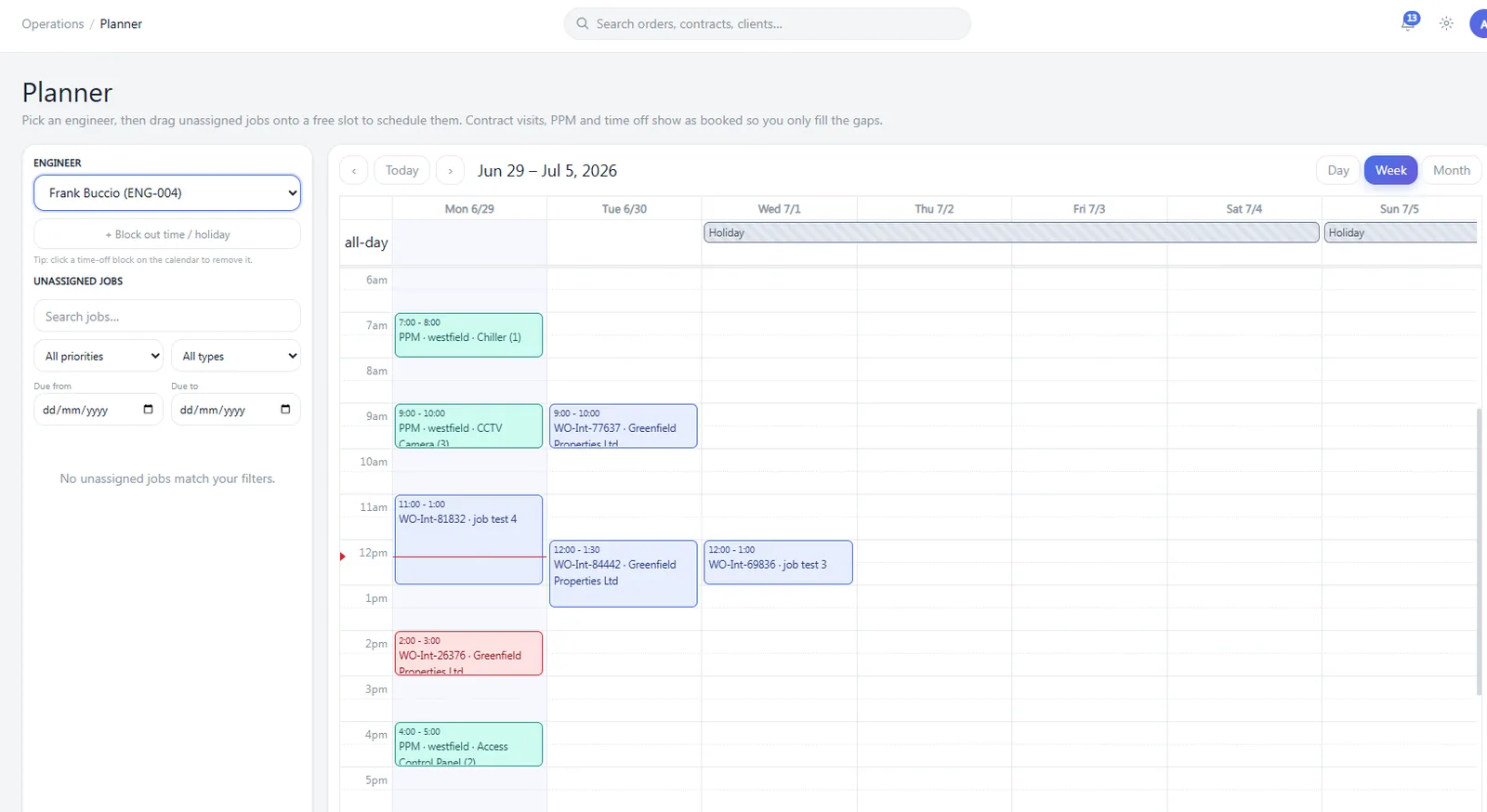
Pick an engineer and see their whole week — contract visits, PPM and time off already booked in. Drag any unassigned job onto a free slot and it appears straight on their phone. Switch between day, week and month views.
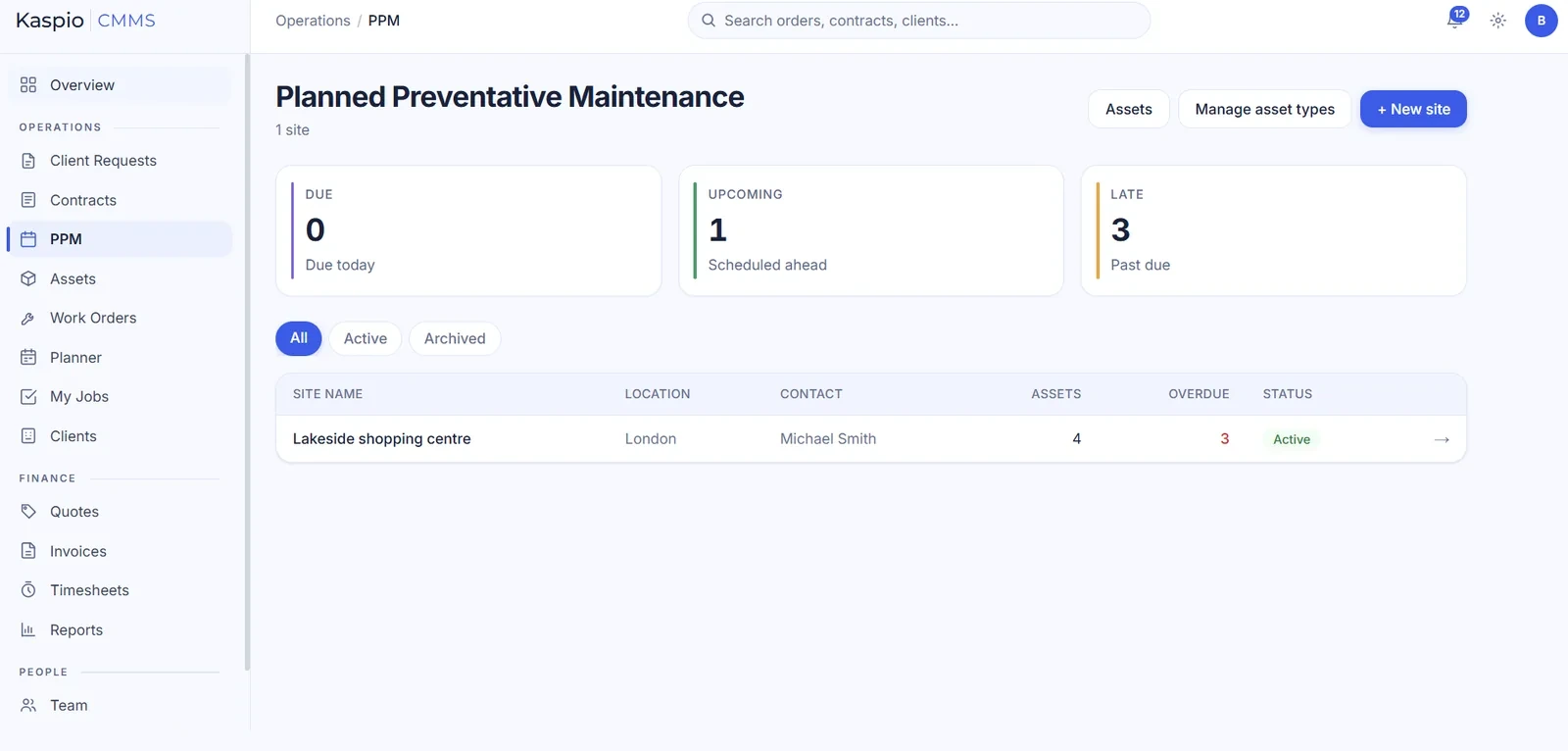
List each site's assets and choose how often they need inspecting — weekly, monthly, quarterly and beyond. Kaspio builds the schedule, sends reminders and shows what's upcoming, due and late, with a full inspection record against every asset for compliance.
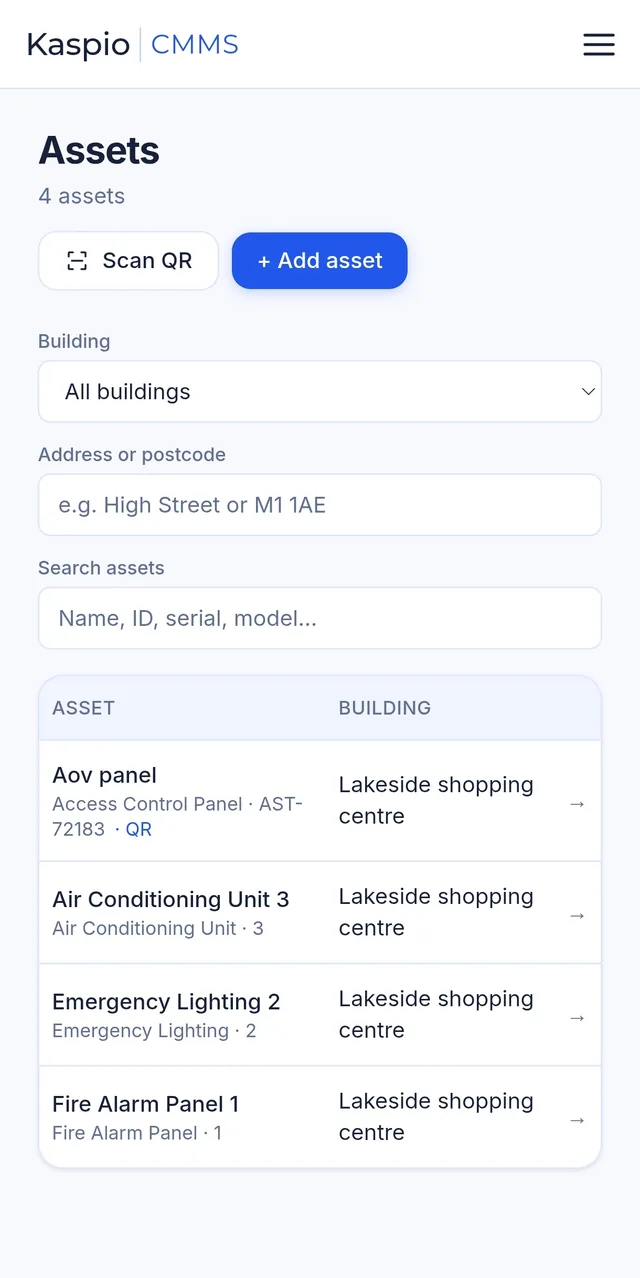
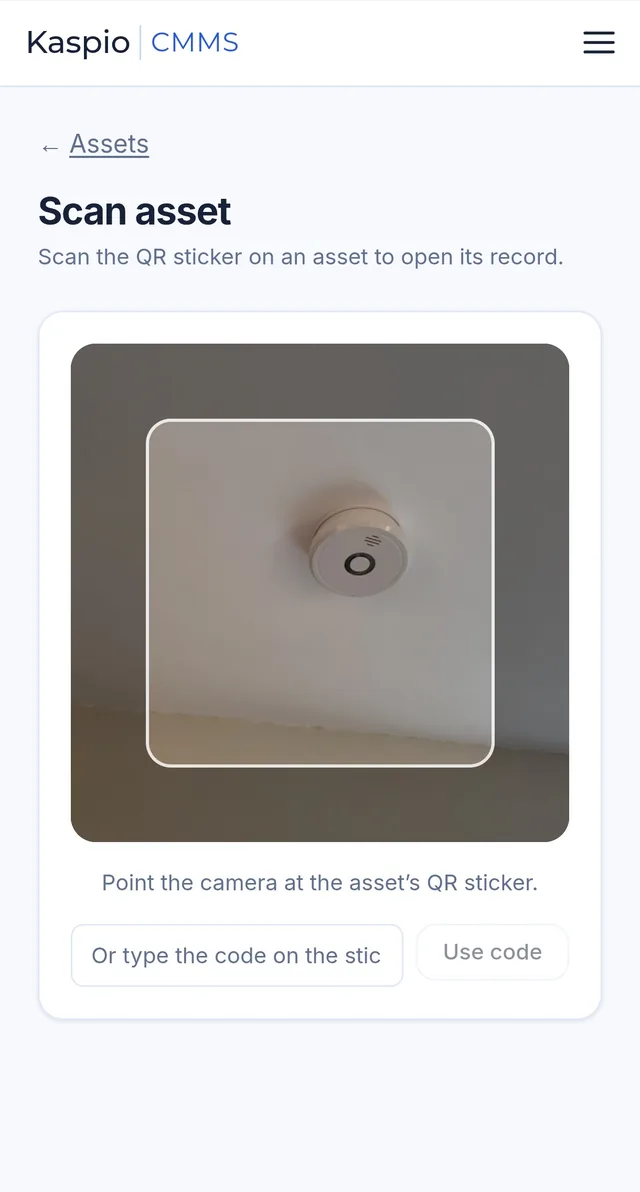
Every asset — lifts, HVAC, emergency lighting, fire systems — lives in a searchable register by building. Stick a QR label on it and engineers scan it with their phone camera to open its record and history instantly.
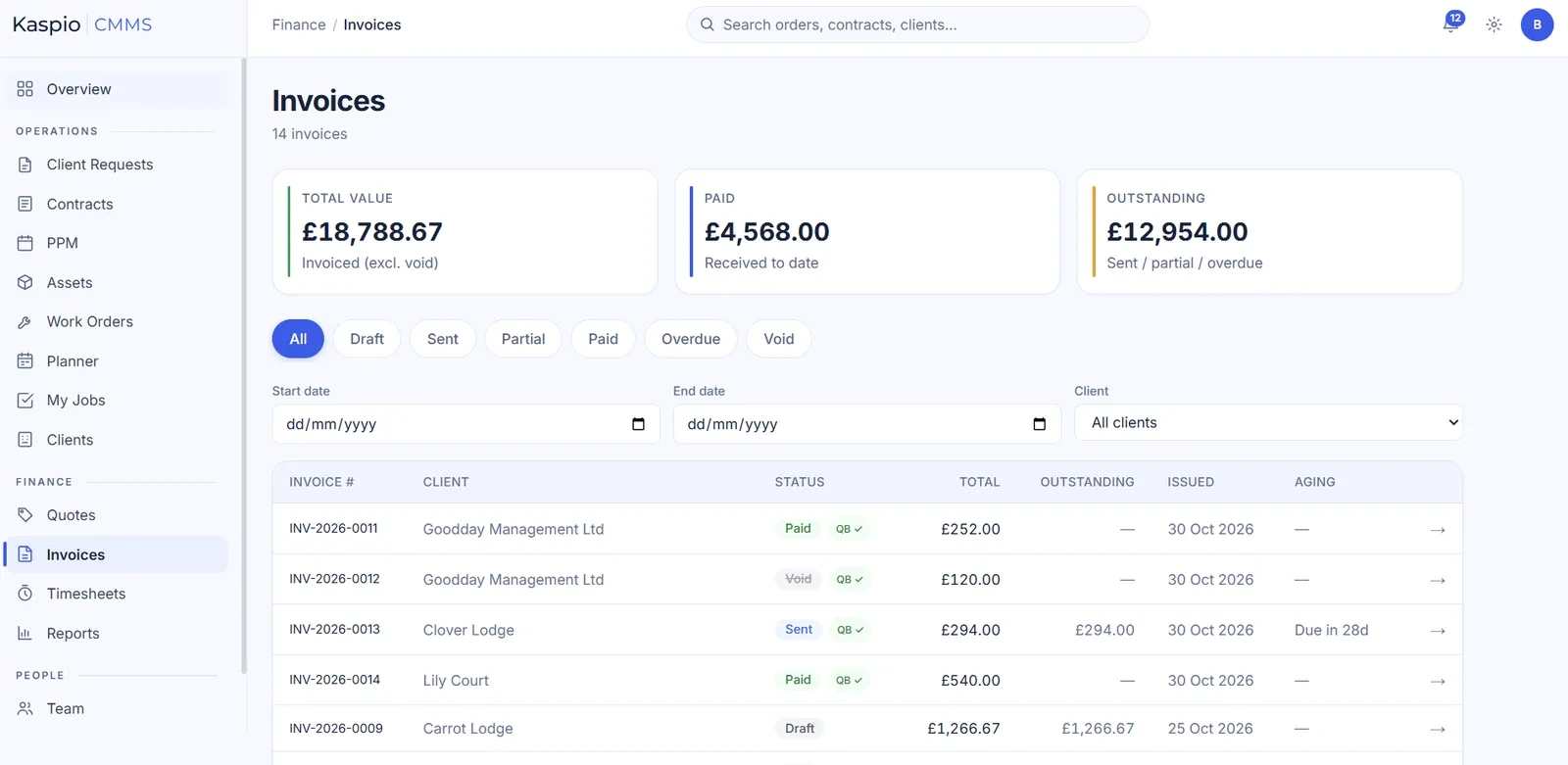
Turn a completed job into an invoice in a couple of clicks. Track draft, sent, paid and overdue at a glance. Every invoice flows directly into Xero or QuickBooks — one entry, one source of truth, no month-end re-keying.
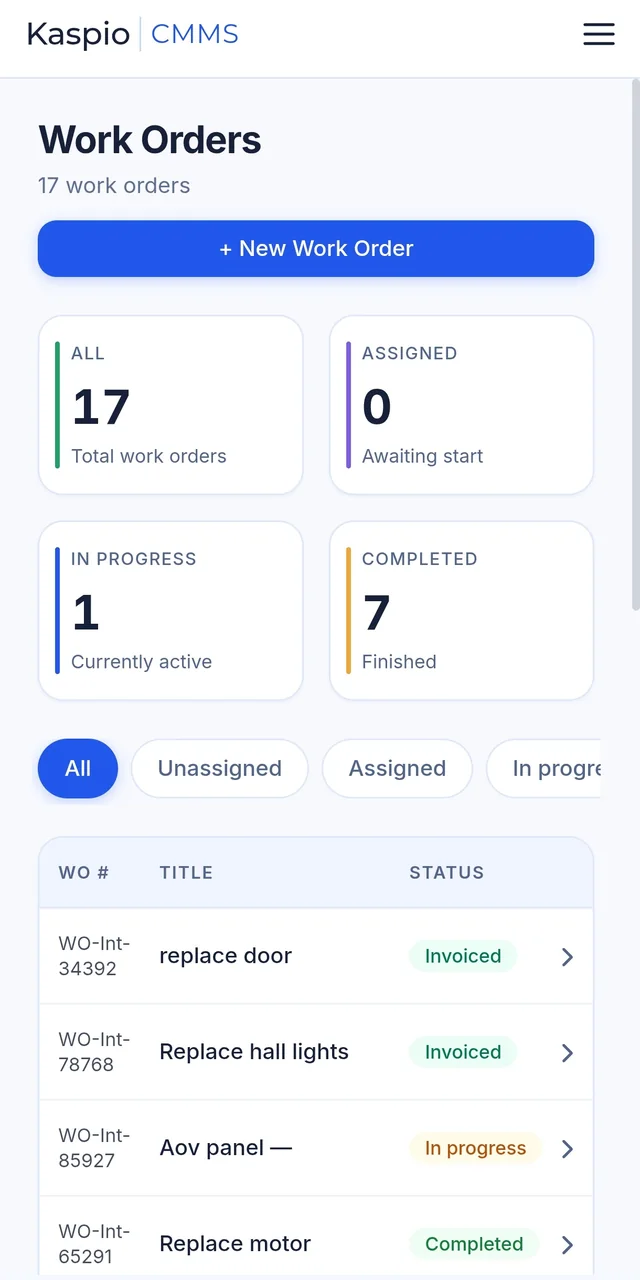
Every work order is tracked from unassigned to completed, so you can see what's in progress and who's on it. As engineers start, pause and complete jobs, Kaspio logs their time automatically — ready for approval and payroll.
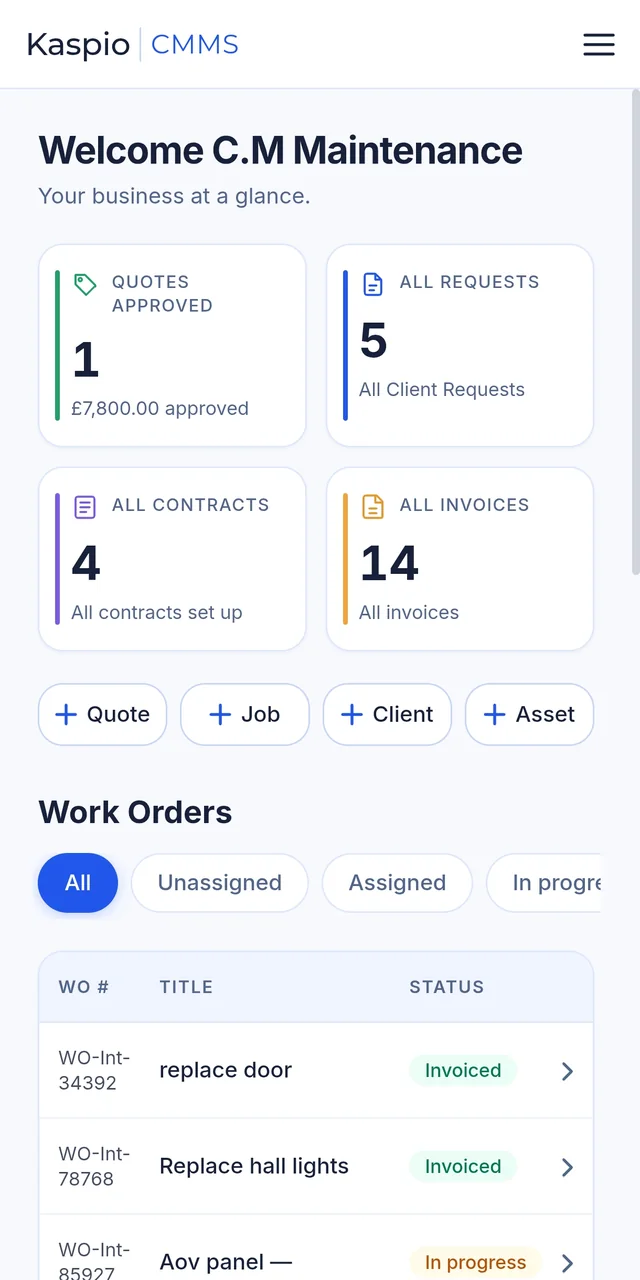
Live reports on jobs, completion rate, engineer workload, revenue, outstanding invoices, quote win rate and PPM compliance. Pick this month, the last 90 days or this year, and export any section to CSV.
The full Kaspio CMMS system for 14 days, no credit card required. Email integration needs a quick setup to connect your inbox — our team will be in touch to arrange it. The Xero / QuickBooks sync is switched on when you come on board, as it needs an account-specific setup.
Start Free TrialBook a short demo and we'll show you how your inbox, your engineers and your invoicing come together in one simple system.
Have a question about Kaspio CMMS, or want to see how it could work for your team? Send us a message and we’ll get back to you, or book a demo at a time that suits you.
Your message has been sent to our team — we’ll be in touch shortly.
A reply will come to .
Prefer email? Reach us any time at hello@kaspio.co.uk.